
Integrated Shala Darpan Login Portal Rajasthan
Discover the Shala Darpan school/office login, staff window, citizen window, 5th and 8th class exam section, online admission, and internship section in the Shala Darpan Online Portal.
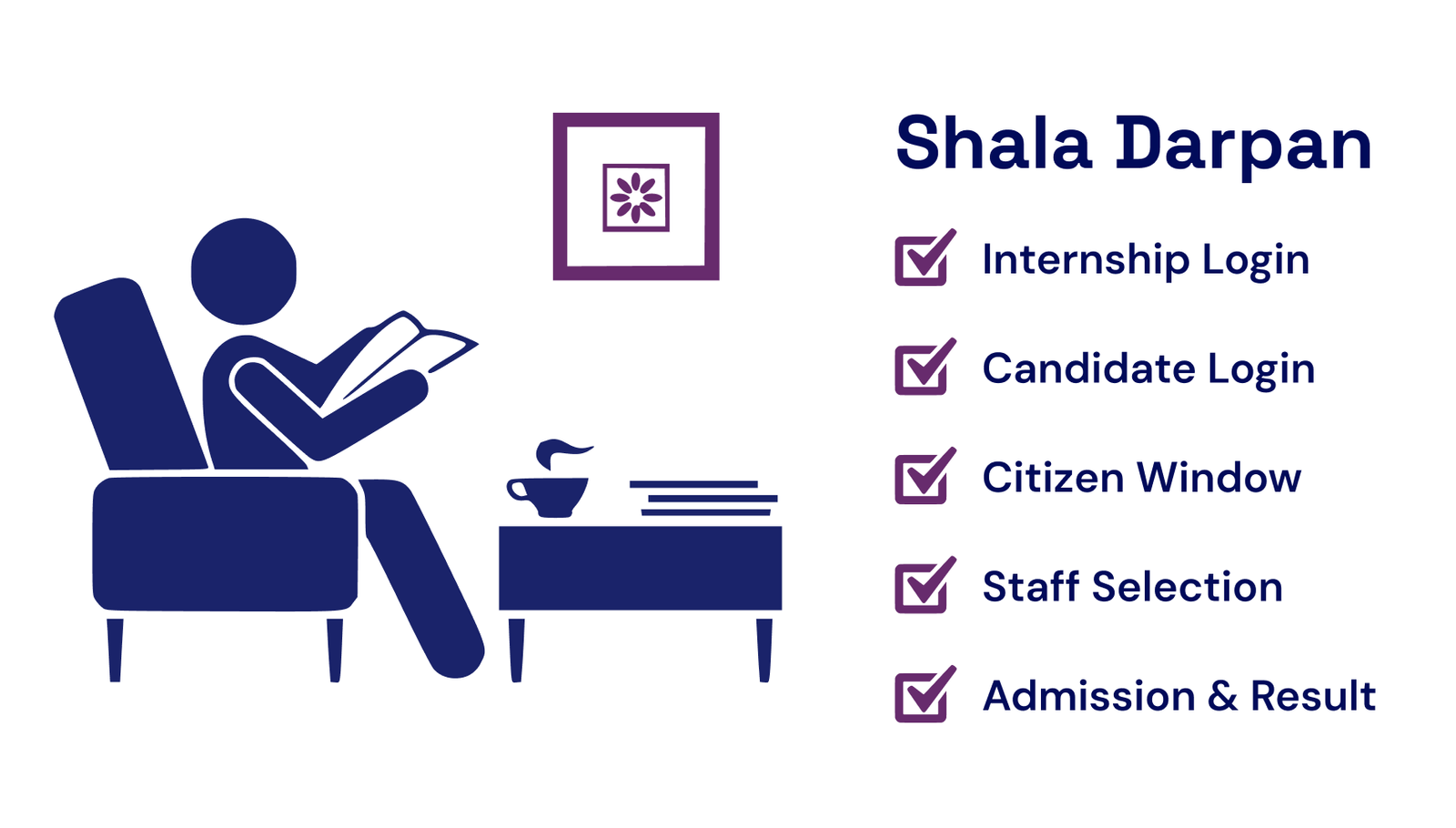

















Primary Links of Integrated Shala Darpan
Staff Selection
Staff Window
🔹 Shala Darpan Shikshak App → Raj Shaladarpan Shikshak
🔹 Shala Sambalan App → Raj ShalaShamblan
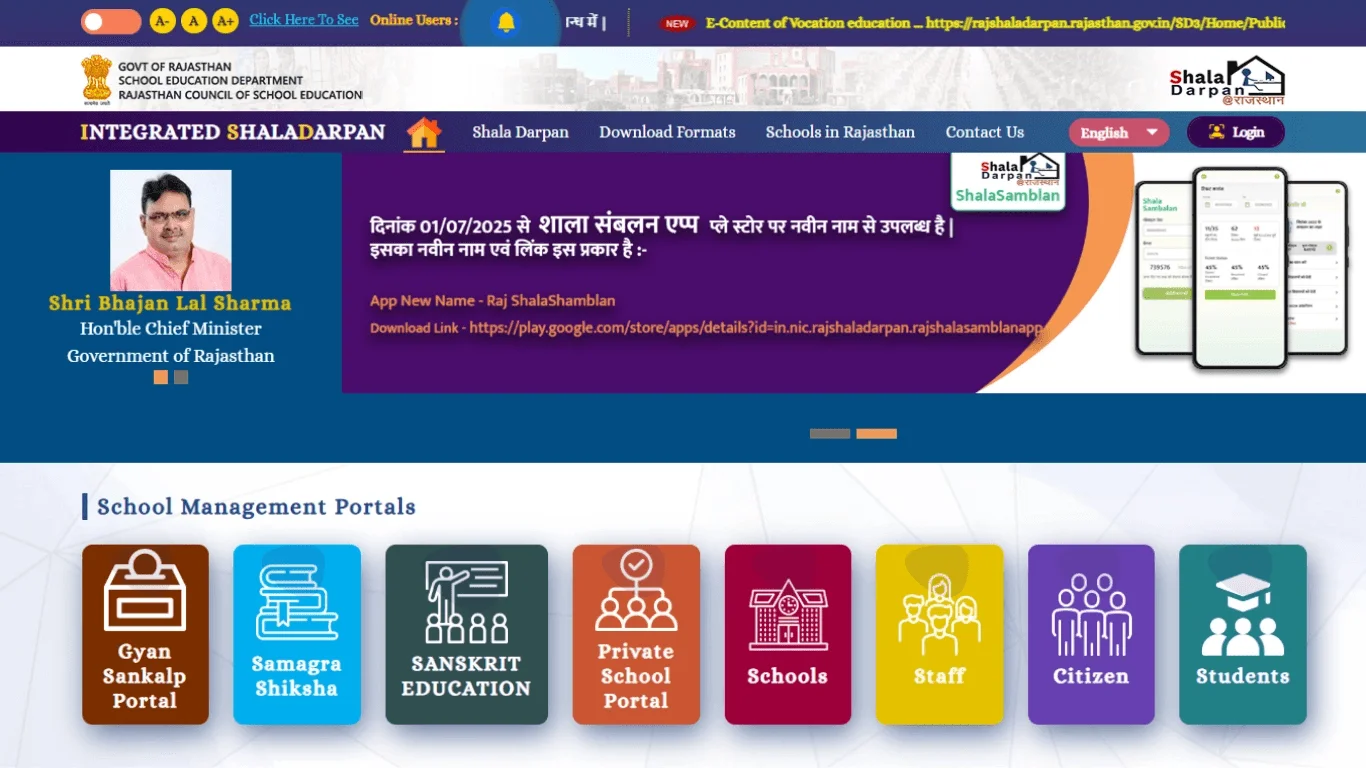
The Government of Rajasthan introduced a well-established program integrated shala Darpan through a portal & application under the Ministry of Education of India. The online portal provides information related to schools & education. Students, teachers, partners & government educational officers are all under one umbrella through this portal.
The basic & main purpose of the portal is to upgrade & enhance the education system in Rajasthan state. The main goal is to provide student progress reports to their parents directly. It covers the gap in communication between parents, schools, students & educational authority officers. It allows direct communication with anyone who shares problems or solutions.
Services Available on the Shala Darpan Portal
The primary services are available on the Raj Shala Darpan portal:
Citizen Portal
Below the information tab, every citizen can be viewed:
- Student reports
- Staff reports
- School information
- Searches different schools
- Scheme Search
- Suggestions from citizens
- Other services
Shala Darpan Staff Window
In this section, you see below the 10 information tabs that belong to staff:
- Registration for staff login
- Teacher staff award applies to login
- Schedule of Transfer & order
- Access staff details
- View School NIC-SD Information
- Month of Retiring
- Apply applications for awards
Staff Selection
In this section teacher can view the following up to date 9 information:
- About us
- Instructions
- Office orders
- Registrations of Candidate
- Up-to-date Schedule
- DEO officer list
- Nodal officer list
Portal Information Table
- Name of Program:
- Developed By:
- Launch Date:
- Administering Department:
- Primary Objective:
- Government Website:
- Features of Raj Portal:
- Users:
- Data Available on Portal:
- Login Access Portals:
- Integrated Shala Darpan
- Government of Rajasthan
- 5 June 2015
- Ministry of Education
- Teachers, Students, Parents
- rajshaladarpan.rajasthan.gov.in
- School search, Admission, Scholarship & Internship
- Students, Parents & teachers
- Student Admission, Reports, School info
- Staff, Citizen window & Student Login
Rajiv Gandhi Career Guidance Portal
9 to 12 class students, the Rajiv Gandhi Guidance Portal is specially designed to guide future careers according to their exams, scholarships & Career-oriented fields. UNICEF helps students in their career decisions.
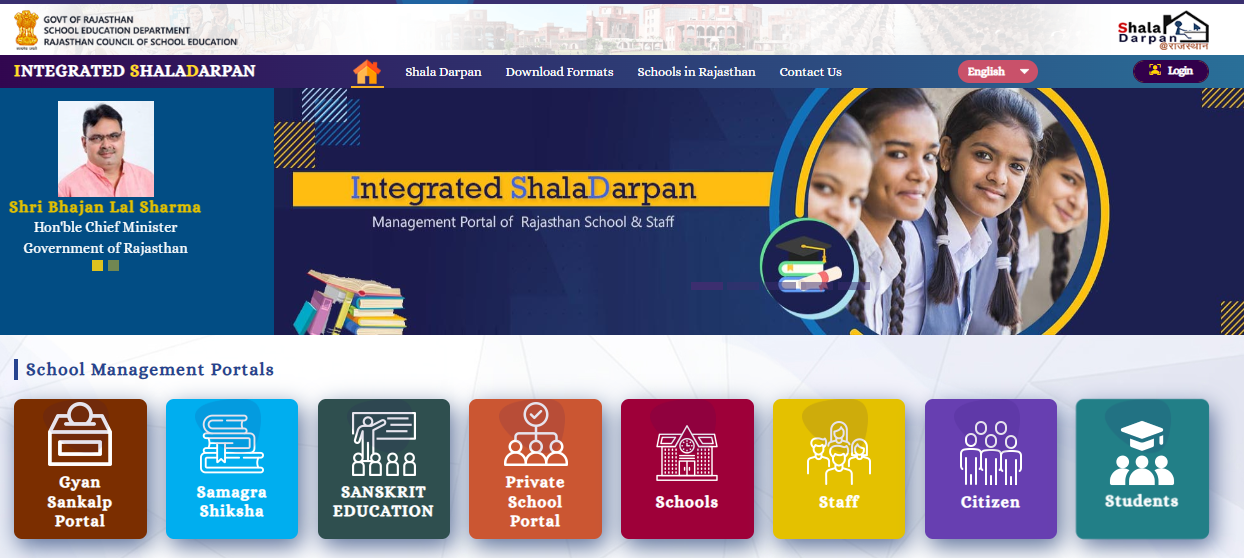
Official Website Overview of Integrated Shala Darpan
The government of India decided to enhance its education system so it launched an online portal in their many states. Shala Darpan is part of that program where citizens can view government aid to schools. Firstly, you visit the official portal & register yourself & apply for further services such as citizen portal, staff corner & staff selection.
Steps of Login Citizen Window
Let’s understand the process of how to use it effectively Shala Darpan Citizen Window:
Step 1
Visit the official website of Shala Darpan. You can go by clicking this official website.
Step 2
Step 3
After clicking the citizen tab see 4 major options for services: School search, School reports, student reports & staff reports.
Step 4
In the top row, you will find options for Citizen suggestions, as well as links to Search Schools, Search Schemes, Prayas, NAS Question Bank, and Board Exam Question Bank.
Step 5
Now, click on the service which you need.
Step 6
If you want to search school services click on them, and the next tab will appear in your window.
Step 7
Fill in the required detail in the form & school information will be viewable on the portal screen.
Services Available on the Raj Darpan Portal
Integrated Shala Darpan is a one-stop solution for students, teachers, and parents. It offers various services, including access to school, student, and staff reports. Simply click on the report you want, then press the search button to view it. The completed report will be displayed for you.
School Report
The School Report may consist:
- Classification of the school
- Total enrollment of students
- Details about teachers
Student Reports
In a student report on Shala Darpan, you can find:
- Academic performance
- Student details
- Report card
Staff Report
Individual staff member details aren’t available directly in the “Staff Report.” However, you can still access important information such as:
- Overall Staff Data
- Comparison of Sanctioned Positions vs. Currently Working Staff
- Total Number of Teachers
Find School
If you are searching for a school for your children in your living area enter the following specific
- District: Choose the district where the school is situated.
- Block: Select the specific block or area within the district.
- School Name or Code: Enter the complete or partial name of the school, or its unique identification code if you have it.
How to Register and Login the Shala Darpan Staff Window
If your first time visiting the app as a staff member or using it in the feature register yourself. Follow the below 7 steps & register without any difficulty:
- Visit the official website rajshaladarpan.rajasthan.gov.in Open this link in your device browser.
- The homepage of the website displays a click on the staff login.
- For the first time, users click on the one-time registration for staff login. Its option is only for fresher users.
- In this step submit accurate information such as staff ID, Date of Birth, mobile number & other important information.
- For security purposes, they required you to fill out the captcha carefully. Correctly fill in the captcha & click on the submit option.
- After submitting the captcha, you will receive one one-time password (OPT) on your mobile. Submit the OPT for verification of your details.
- To log in next time just enter your login name & password. Never share your login name & password with another person.
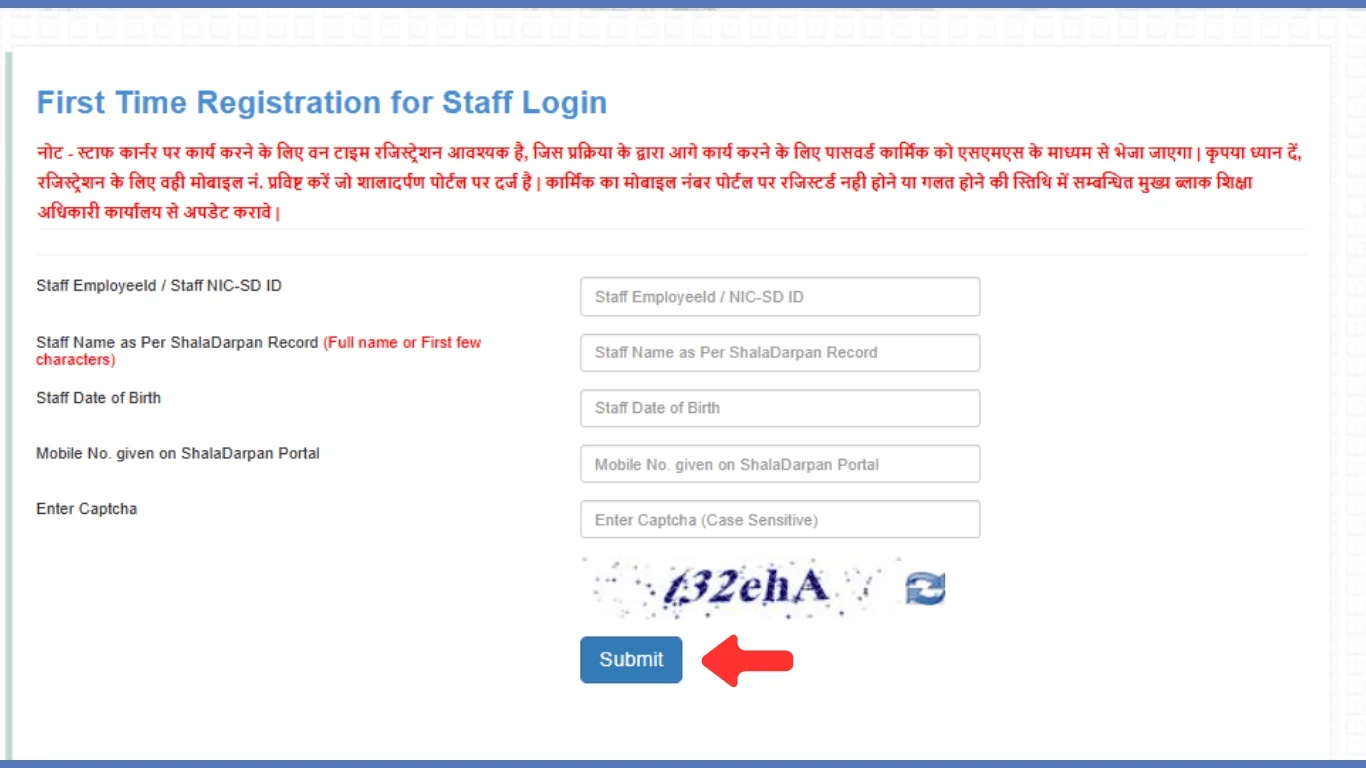

Shala Darpan Staff Login Rajasthan
Let’s understand the step-by-step guide for staff login on the Shala Darpan portal:
Step 1
Step 2
On the Homepage see the Staff Login button. Once you see it, click on the Staff login button and it will carry you to the login page.
Step 3
Enter your staff ID & password on the login page that you choose at the time of registration.
Step 4
Submit the Capatch code to save your account purpose. Enter Capatch correctly & press login.
Core Features of Shala Darpan Login
The Darpan platform is an online App launched by the Ministry of Education in India to help manage and plan school operations more effectively. It is part of the government’s effort to bring technology into education, making sure that everyone is accountable and transparent and can communicate better with each other.
Let’s discuss the core features of Raj Shala Darpan that can be accessed by staff login. The following features are explained in simple terms:
Attendance
Staff can manage and report student attendance to their parents & in the office through the Shala Darpan portal using their login.
Student Records
Shala Darpan offers communication tools that include messaging and notifications to facilitate a smooth way of connection between students, teachers, and parents.
Transparency
With accessible and up-to-date details Darpan improves clarity in school systems. All the relevant & related information of schools, teachers & students are available.
Online Admission
Many schools offer an online admission facility through the Shala Darpan portal. Parents need to upload documents and complete the admission form to enroll their children.
Scholarship
Many scholarships or government schemes of shala internship details are up to date on the Shala Portal for students.
Citizen Feedback
Without any hesitations & challenges citizens can provide their suggestions regarding education. They have the facility to complain to staff members & school without any pressure.
Resource Availability
All the important resources relevant to education such as books, training modules, & courses are available on the portal every time. Other resources are to manage such as lab equipment, textbooks, and other educational materials.
Accessibility
The Darpan app is accessible on mobile devices & PC. The app interface is user-friendly or designed simple & easy to understand for any age group of people. Students can also explore Yacine tv for entertainment after their studies.
Report Creation
The app helps the staff to maintain & prepare the students’ academic records entering the grades, test scores, health condition & progress of development in study.
Scheme Search
To search for a scheme, first submit the details for Minority, PBL, and Gender. The next step is to fill in all the information which is required to submit a form about Family Income, Caste, Age, and Class. Then, enter the Captcha code and click the search button. Your required scheme information will appear shortly.
School Search NIC-SD ID
To find your school ID, choose either the School Name or Block option. Select your Block and District, enter the Captcha code, and click the ‘Go’ button. Your Serial Number will be displayed along with details about the category, Region, Block/Village, School Name, and School NIC-SD ID.
Shala Darpan Helpline
Particulars
- E-mail ID:
- Helpline Number:
- Address:
Citizen Window
- rmsaccr@gmail.com
- 0141-2700872
- Darpan's Cell, Rajasthan Council of School Education, Shiksha Sankul, JLN Marg, Jaipur, Rajasthan 302017
Frequently Asked Questions
How does Shala Darpan Rajasthan login?
Go to the official website of Shala Darpan enter your user name & password or fill in the captcha carefully.
What is the main object of the Shaladarpan portal?
What should I do if I can't remember my login password?
Do I have to sign in to the portal every time?
Will I receive my children's study reports on this website?
How can I access my child's school information on the portal?
How will I update the contact details of my school on Portal?
School administrators can update contact information by signing into the portal and accessing the school profile section. Make sure all contact details are correct and up-to-date.
Is it possible to download reports from the Shaladarpan?
Yes, Shaladarpan allows you to download different reports related to student data, attendance, performance, staff, and infrastructure. Check the “Reports” or “Download” section on the portal.
How often should school data be updated on the portal?
Is there a method to monitor the performance of multiple schools on the platform?
Who can I reach out to for assistance with using the Raj Portal?
Go to the official website and contact their support team. There might also be a helpdesk or FAQs section to troubleshoot common problems.